Specific Notes can be locked so that they are not used in transactions. For example, you may want to lock the particular note because it has just been received.
Another typical usage are mining rewards. Mining rewards cannot be spent before they mature for at least 100 blocks. Attempting to do so will trigger an error.
Zkool lets you either manually lock specific notes by clicking on them on the Notes tab[1] or based on a maturity threshold, like 100.
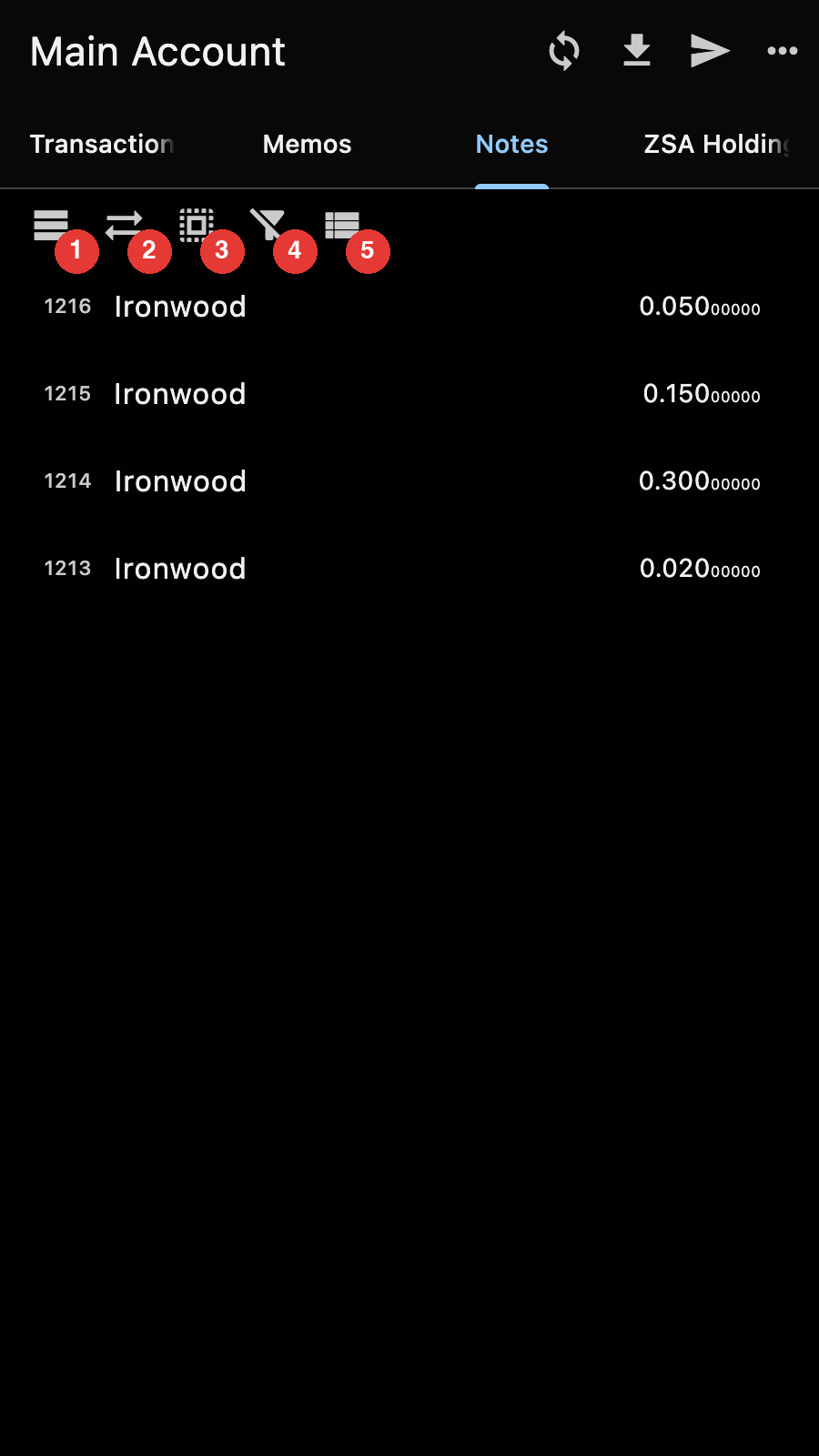
The buttons are respectively for:
- Locking the recently mined notes. Zkool asks for the number of confirmations below which a note gets locked
- Toggling every note
- Unlocking everything
- Showing or hiding the dust notes
- Grouping the notes by pool. Each group then has its own lock/unlock all button
Important
Notes in grey are locked.
It toggles between locked/unlocked. ↩︎