Once all your accounts are entered, it's time to synchronize.
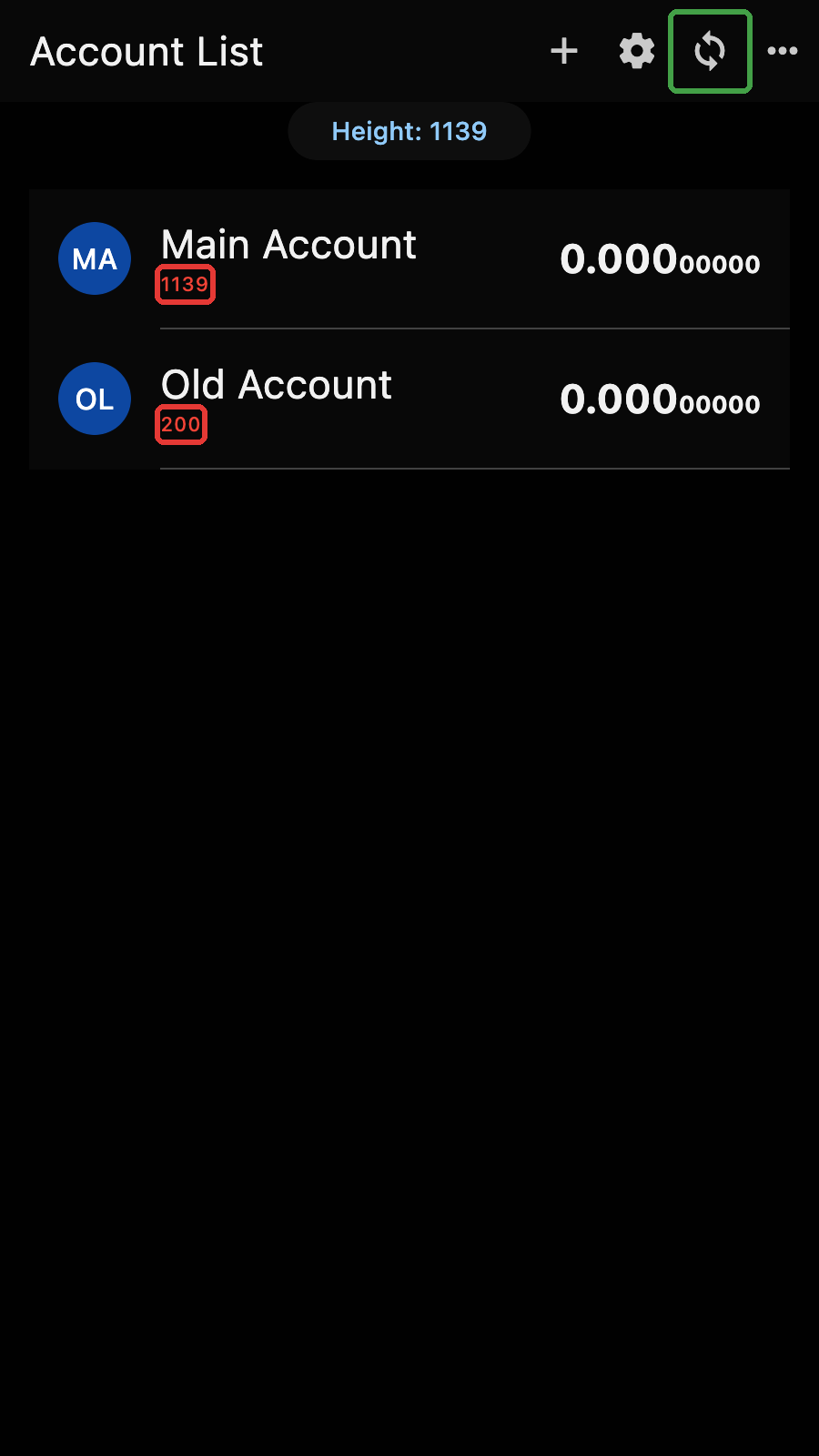
Account List
At the top of the list, the "Height" button shows the current block height. Tap on it to refresh the height and the market price. Long press to refresh the height only. Next to it, the market price button shows the current ZEC price in your currency. Tap on it to refresh the price.
Each row shows the account avatar, name, balance, its value in your currency, and the account sync height.
Tap on the avatar to select an account. Tap anywhere else on the row to open the account page.
Account Heights
Zkool keeps the synchronization state of each account independent.
This is like your gmail accounts. If you have more than one, the gmail app downloads the messages of your current account. Your other accounts are sometimes behind[1].
In the screenshot above, you can see the various account sync heights in the red boxes. The first account was just created and is at the current height. I restored the second one with a birth height of 200 and it has not been synchronized yet, therefore it is still at 200.
Auto/Manual Sync
If auto sync is on[2], Zkool will occasionally check the current block height and compare it with the account heights. When an account falls behind by some threshold[3], Zkool starts synchronizing it.
If you want to start synchronization immediately, tap the sync button on the appbar (in the green box). This starts the synchronization of every enabled account at once.
If some accounts are selected, the sync button synchronizes the selected accounts only.
You can also synchronize a single account from its page with the sync button on its appbar.
Menu
The menu button (three dots) on the appbar opens the Mempool, Folders, Categories and Contacts pages. It also has the "Show All" option that reveals the hidden accounts after you authenticate.