The expense and income reports use a fiat currency because at this time nearly all of the services use fiat. To convert between ZEC and your currency, each transaction must have the price of 1 ZEC.
Currency
The currency is USD by default. Change it with the "Currency" option of the Settings page. Since the prices of your past transactions are in the old currency, Zkool asks for the exchange rate between the two currencies (prefilled from CoinGecko when it is reachable) and converts them.
New Payments
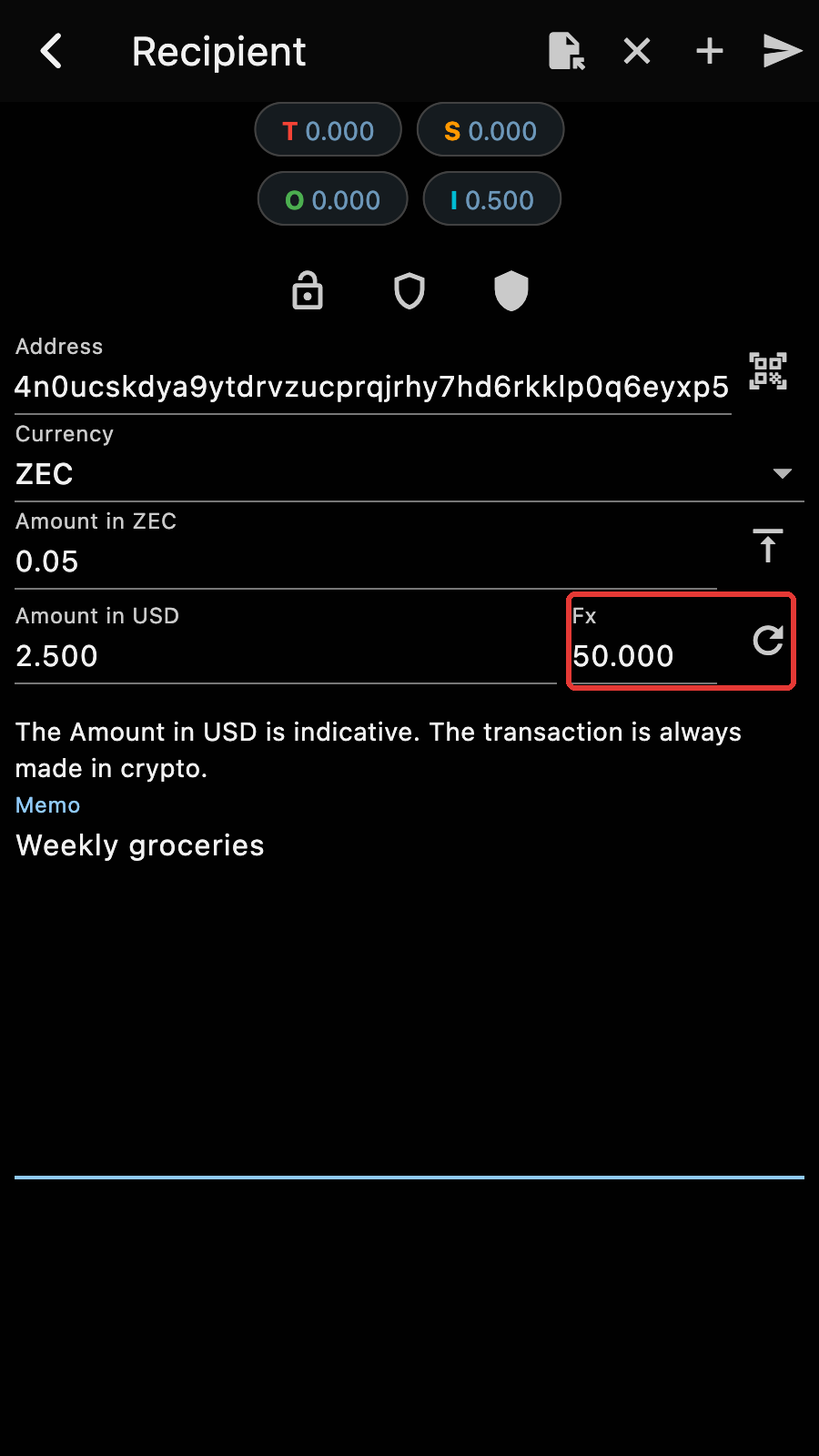
When you make a payment, the "Fx" field of the Send form holds the last market price Zkool fetched: tap the "Height" button of the account manager, which fetches the market price too, or turn on "Auto Fetch Market Price" in the Settings page. You can also type the price or fetch it again from CoinGecko with the refresh button next to the field. It gets recorded with the transaction in your account[1].
Past Transactions
Zkool can also automatically import historical prices from CoinGecko, with the "Fetch Tx Prices" option of the account page menu.
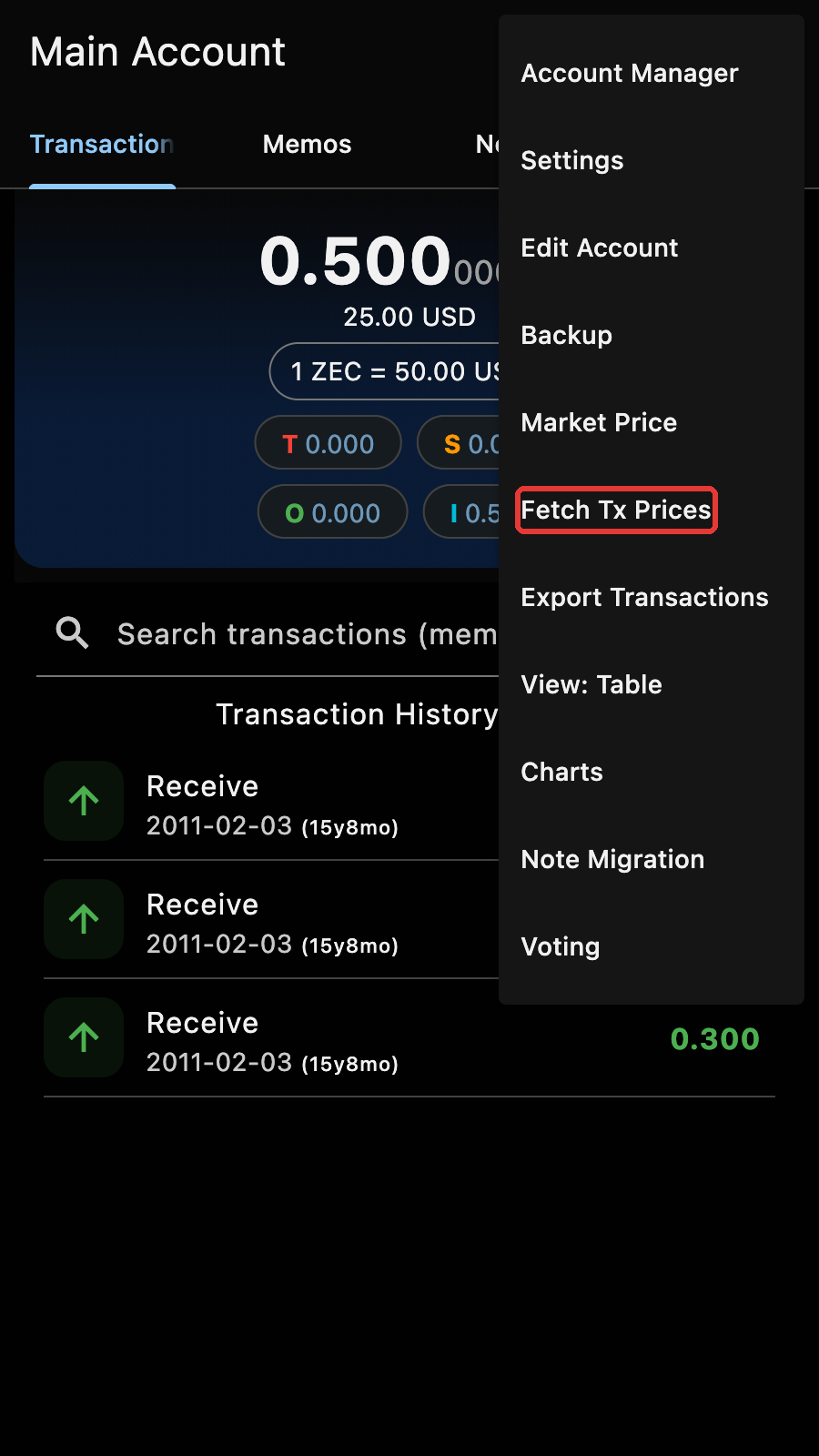
It fills in every transaction of the account that has no price yet. The public API only provides the past year of data. CoinGecko returns market prices at different time intervals depending on the time range:
- Current Day: Every minute,
- From 2 to 90 days: Every hour,
- From 90 to 365 days: Every day.
If a transaction falls out of this range, it will get the oldest known market price.
Tips
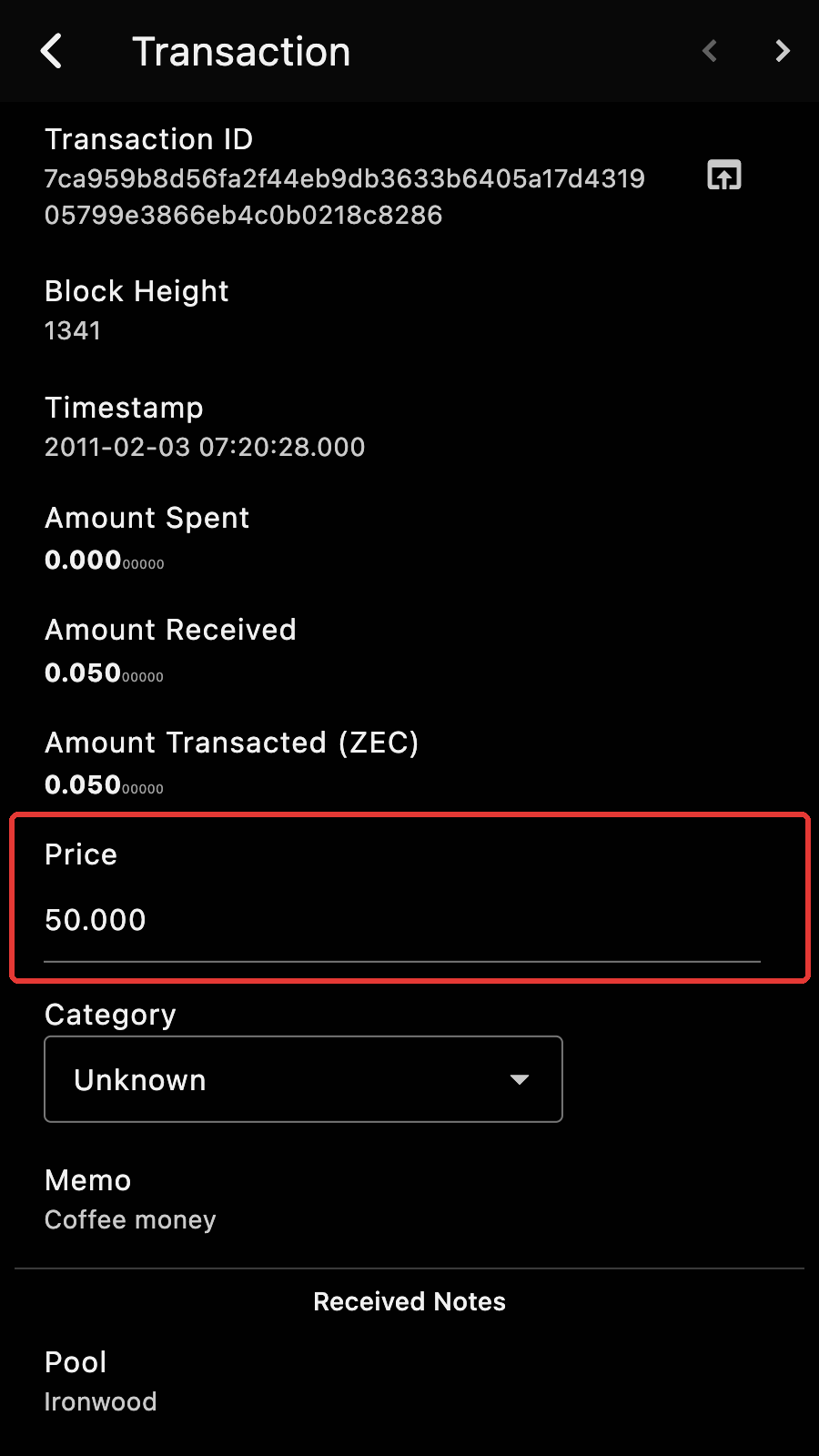
You can adjust the market price of a transaction by editing the price in the transaction details page. A transaction without a price shows "N/A": fetch the prices first.
Zkool uses the public CoinGecko API. If you have a CoinGecko API key, enter it in the "CoinGecko API Key" field of the Settings page.
ZEC prices and categories are not recorded on chain, therefore if you restore your wallet on a different device you will have to input the data again. It is much more convenient to save and restore the account with the Import/Export feature. ↩︎